
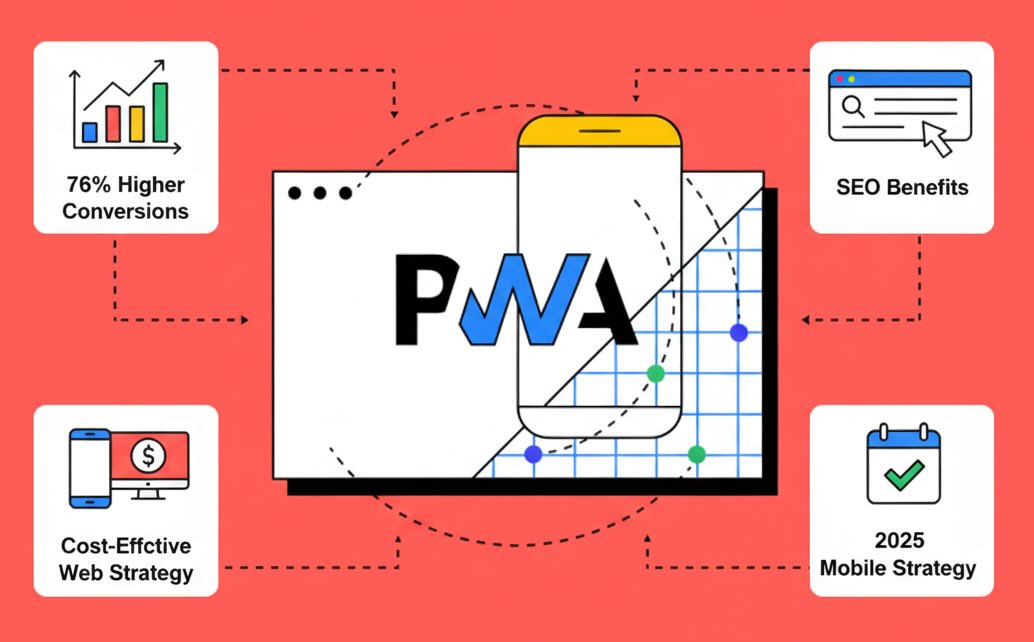
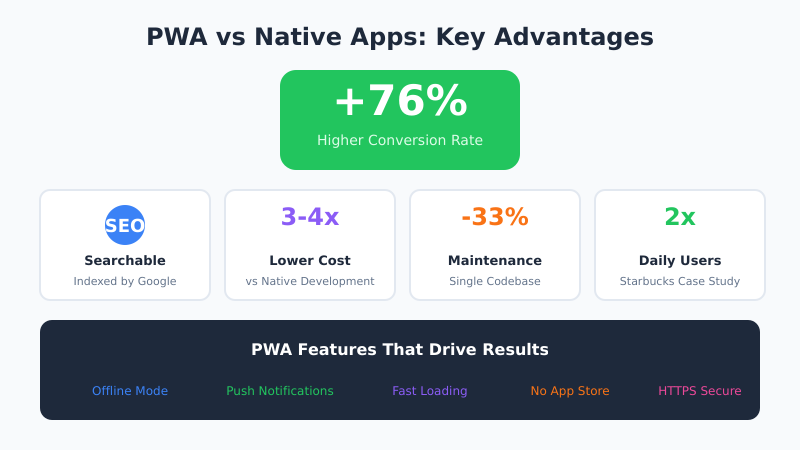
Progressive Web Apps (PWAs) have emerged as the dominant mobile strategy for 2025, delivering a remarkable 76% higher conversion rate compared to traditional websites while offering superior SEO benefits that native apps cannot match. Major brands including Alibaba, Starbucks, and Pinterest have reported dramatic performance improvements, with Starbucks seeing double the daily active users after implementing their PWA compared to their native application.
The fundamental advantage lies in PWA’s unique combination of app-like functionality with web accessibility, enabling search engine indexing that drives organic traffic impossible with native apps. Unlike traditional mobile apps that exist in walled gardens, PWAs appear in Google search results, providing businesses cost-effective marketing opportunities that eliminate dependence on expensive app store optimization and paid user acquisition campaigns.
What Makes a Progressive Web App
A PWA combines three core technologies that enable app-like experiences in a web browser. Service workers handle background tasks, caching, and offline functionality. A web app manifest defines how the app appears when installed on a device. HTTPS ensures secure data transmission required by both technologies.
These components work together to create experiences that blur the line between websites and native applications. Users can install PWAs directly from browsers without app store intermediaries, receive push notifications, access content offline, and enjoy fast, smooth interactions that rival native app performance.
Technical SEO Advantages Transform Marketing Strategies
PWAs deliver superior Core Web Vitals performance through service worker caching and optimized loading sequences, achieving sub-2.5 second loading times that significantly improve search rankings. The technology’s automatic HTTPS requirement aligns perfectly with Google’s security-first indexing approach, while responsive design ensures optimal mobile-first indexing compliance without requiring separate mobile implementations.
Search engine visibility represents PWA’s most transformative business benefit, with indexed PWAs generating organic traffic streams that native apps cannot access. This searchability enables content marketing strategies, keyword optimization, and SEO-driven growth that traditional app development approaches completely lack, providing sustainable user acquisition without ongoing advertising costs.
Indexable Content
Every page within a PWA can be indexed by search engines, discovered through organic search, and shared via URL. This fundamental web capability seems obvious until you consider that native app content remains invisible to Google. A PWA’s blog posts, product pages, and service descriptions all contribute to your domain’s authority and visibility.
Link Building Opportunities
Native apps cannot receive backlinks from other websites — there’s no URL to link to. PWAs maintain traditional web URLs, enabling link building strategies that drive domain authority and referral traffic. Press coverage, guest posts, and resource pages can all link directly to your PWA content.
Fast Loading Performance
Service worker caching enables instant loading for returning visitors. After initial visit, assets load from local cache rather than network requests. This architecture naturally achieves excellent Core Web Vitals scores that Google rewards with improved search rankings.
Cross-Platform Development Cost Savings
PWA development costs 3-4 times less than native app alternatives while requiring 33% less ongoing maintenance, making advanced mobile experiences accessible to startups and mid-size businesses previously excluded by native development budgets. The single codebase approach eliminates separate iOS and Android development cycles, reducing time-to-market while maintaining feature parity across all platforms and devices.
The elimination of app store dependency removes approval delays, update distribution challenges, and platform commission fees that can consume 30% of mobile revenue. Businesses gain complete control over user experience, pricing strategies, and feature rollouts without external platform restrictions or policy limitations that often constrain native app innovation.
Development Workflow Benefits
Web developers already possess the skills needed for PWA development — HTML, CSS, JavaScript, and modern frameworks like React, Vue, or Angular. There’s no need to hire specialized iOS (Swift) or Android (Kotlin) developers, significantly reducing team costs and simplifying hiring.
Updates deploy instantly to all users without app store review delays. Fix a bug or launch a feature, and every user sees the changes immediately. Native apps require separate review processes for Apple and Google, often taking days or weeks before updates reach users.
PWA Implementation Essentials
Building an effective PWA requires attention to several key technical components. Start with the web app manifest — a JSON file that defines your app’s name, icons, theme colors, and display mode. This manifest enables the “Add to Home Screen” prompt that encourages installation.
Service workers form the backbone of PWA functionality. These JavaScript files run separately from your main application, intercepting network requests and enabling offline access. A basic service worker caches essential assets on first visit and serves them from cache on subsequent visits.
Essential Manifest Configuration
Your manifest.json should include the app name, short name for home screens, start URL, display mode (standalone recommended for app-like experience), background and theme colors, and icons at multiple resolutions. Google recommends icons at 192×192 and 512×512 pixels minimum.
Service Worker Caching Strategies
Choose caching strategies based on content type. Static assets like images, CSS, and JavaScript benefit from cache-first strategies that prioritize speed. Dynamic content like API responses typically use network-first strategies with cache fallbacks for offline access. Stale-while-revalidate provides balance by serving cached content immediately while fetching updates in the background.
User Engagement and Retention Metrics
PWA implementations consistently demonstrate superior engagement metrics, with push notification capabilities matching native app functionality while maintaining web accessibility standards. The installation process occurs directly from browsers without app store intermediaries, reducing user friction while enabling immediate access to full functionality.
Offline capabilities through service worker technology ensure consistent user experiences regardless of connectivity, addressing mobile usage patterns where network reliability varies significantly. This reliability improvement directly impacts user retention and session depth, contributing to improved business metrics and customer lifetime value across diverse mobile usage scenarios.
Push Notification Best Practices
PWA push notifications require careful implementation to avoid user annoyance. Request permission contextually — after users complete meaningful actions, not immediately on first visit. Segment notifications based on user behavior and preferences. Provide clear value in each notification, and always include easy opt-out options.
Notification timing matters significantly. Analyze when your users are most active and engaged. Avoid late-night sends unless specifically requested. Test different message formats to identify what drives opens and conversions without causing unsubscribes.
Real-World PWA Success Stories
Pinterest’s PWA reduced core engagement time from 23 seconds to 5.6 seconds, while increasing user-generated ad revenue by 44% and time spent on the platform by 40%. The lightweight PWA (150KB vs 56MB for their native app) enabled expansion into emerging markets with limited connectivity and device storage.
Alibaba’s PWA implementation increased conversions by 76% compared to their mobile website, with 4x higher interaction rates following the transition. The PWA’s fast loading and offline capabilities proved especially valuable during flash sales when server load peaked.
Twitter Lite, their PWA version, achieved 65% increase in pages per session, 75% increase in tweets sent, and 20% decrease in bounce rate. The 3% app size (compared to their native app) made Twitter accessible on devices with limited storage common in developing markets.
PWA Limitations and Considerations
Despite significant advantages, PWAs have limitations worth considering. iOS Safari support lags behind Chrome, with restrictions on push notifications, background sync, and home screen installation prompts. Apps requiring hardware access (Bluetooth, NFC, advanced camera features) may still need native development.
Gaming and graphics-intensive applications often require native development for optimal performance. PWAs also cannot access certain device APIs, though this gap narrows with each browser update. Evaluate your specific feature requirements before committing to PWA-only development.
Strategic Market Positioning for 2025
Industry analysts predict PWAs will dominate mobile strategies by 2026, with businesses choosing web-based approaches over native development for all but the most hardware-intensive applications. The technology’s maturation addresses previous limitations while providing future-proof solutions that adapt to evolving browser capabilities and mobile platform requirements.
For businesses evaluating mobile strategies in 2025, PWA adoption provides competitive advantages through improved SEO performance, reduced development costs, and enhanced user experiences that drive measurable conversion improvements across all major business metrics.
Getting Started with PWA Development
Begin by auditing your current website against PWA requirements using Lighthouse in Chrome DevTools. The PWA audit identifies missing components and provides specific implementation guidance. Start with the fundamentals: HTTPS, web app manifest, and a basic service worker.
If you’re using popular frameworks, leverage their PWA plugins. Create React App, Vue CLI, and Angular all include built-in PWA support that handles service worker generation and manifest configuration. WordPress sites can add PWA functionality through plugins like PWA for WordPress or Super Progressive Web Apps.
Bottom Line
PWAs offer a compelling alternative to native app development, combining web accessibility with app-like experiences at significantly lower cost. The SEO benefits alone justify consideration — your content remains discoverable, linkable, and shareable in ways native apps cannot match. For most businesses in 2025, starting with a PWA makes strategic sense, with native development reserved for specific features that truly require device-level access.
